Line Welcome Trigger is used to activate the scenario for customers who message the Line page for the first time.
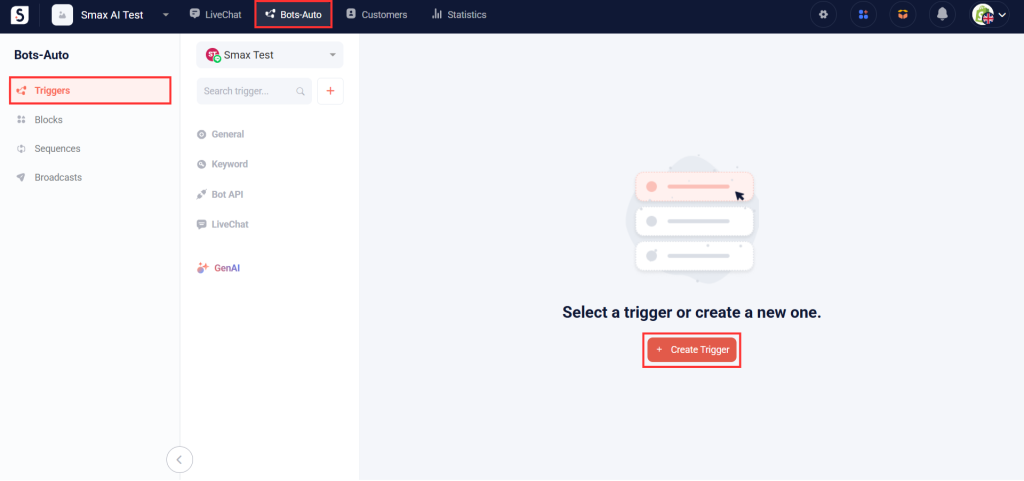
In SmaxAI, navigate to the Bots-Auto section on the left-hand menu, and then select Triggers. Click on the Create Trigger button.
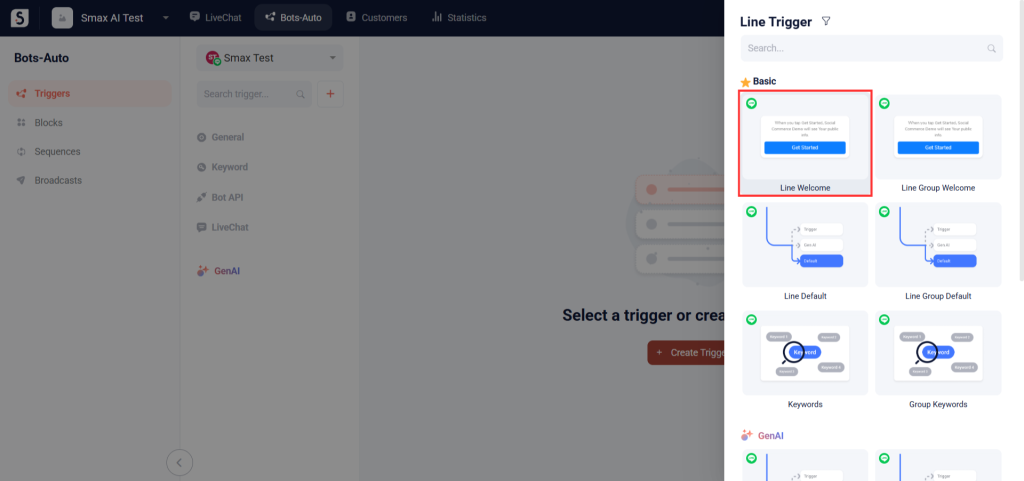
Then choose the Line Welcome option.
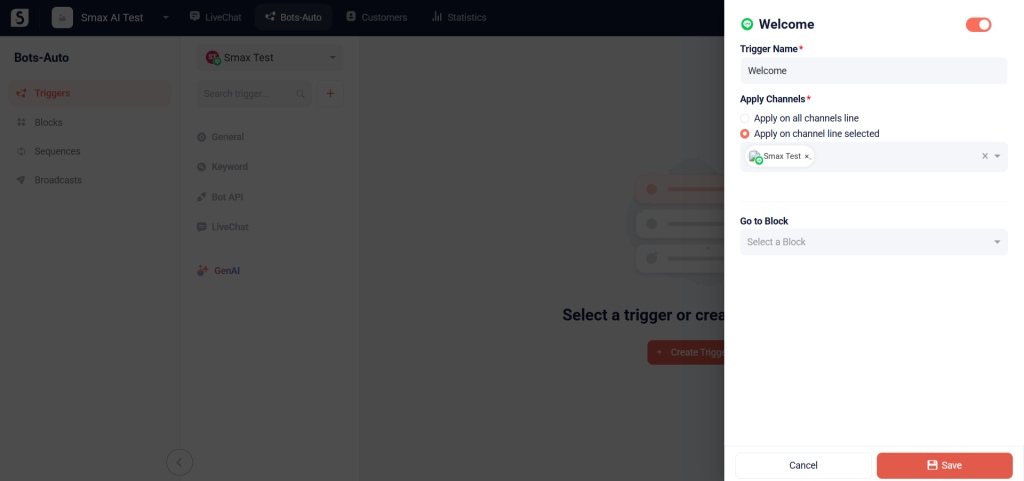
In the Trigger Name field, enter a name for your welcome trigger.
In the Apply Channels field, select between 2 options: Apply on all channels line or Apply on channel line selected
In the Go to Block dropdown, select the chatbot block you wish to activate for first-time Line customers. Then click Save to apply your changes.