
With the Shopify Card, you can create a new order on Shopify directly within your chatbot flow, no manual steps needed.
Before you start: Make sure you have intergrate your Shopify account to Smax AI. Follow this integration guide if you haven’t done so yet.
In the Bot-Auto module, create a new block and follow these steps:
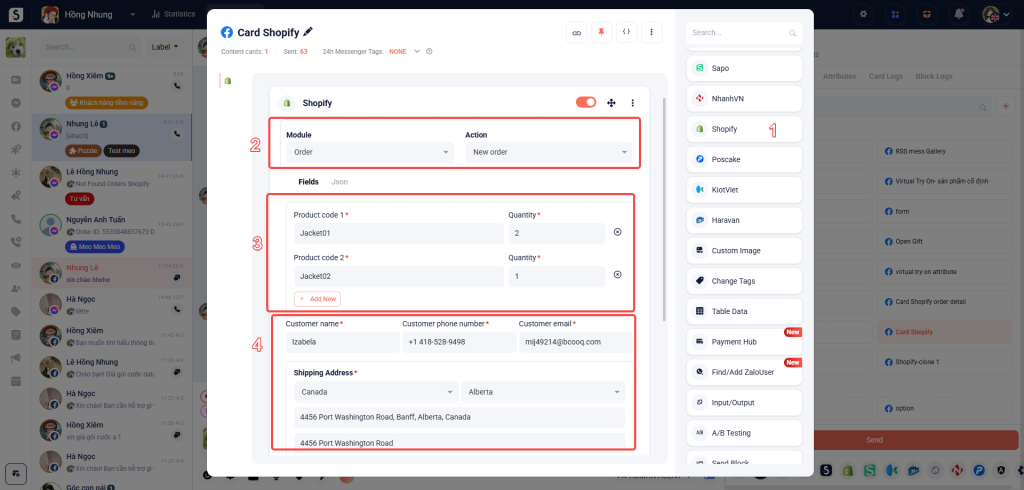
(1) Add the Shopify Card to your block.
(2) Select the module and action: Choose what type of Shopify action you want to perform (e.g., Create Order).
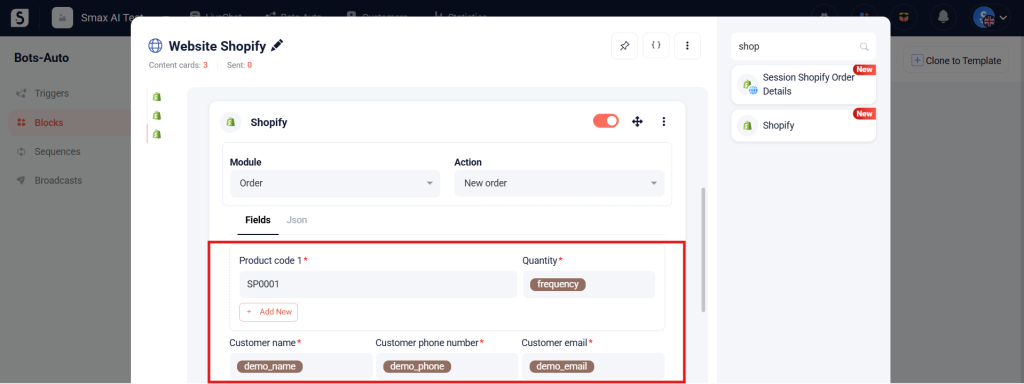
(3) Enter the product code and quantity for the order.
(4) Fill in customer information and shipping address (name, phone, email, address, etc.).
For best results, place an User Input Card right before this step to collect the customer’s information. Be sure to save it as an attribute, so you can use it here to look up their order.
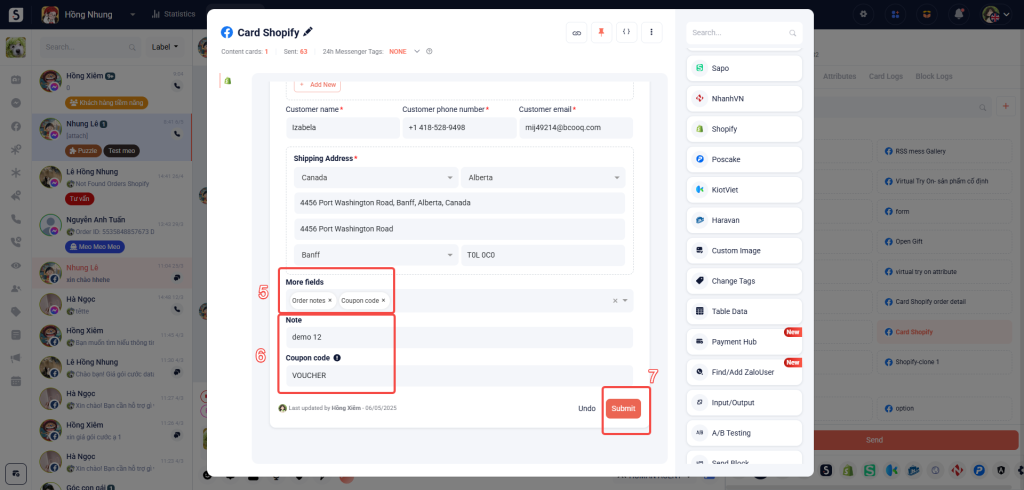
(5) Add any extra custom fields if needed (e.g., tags, internal notes).
(6) Include notes or coupon codes, if applicable.
(7) Click Submit to trigger the order.
You can view the newly created order directly in your Shopify dashboard.


