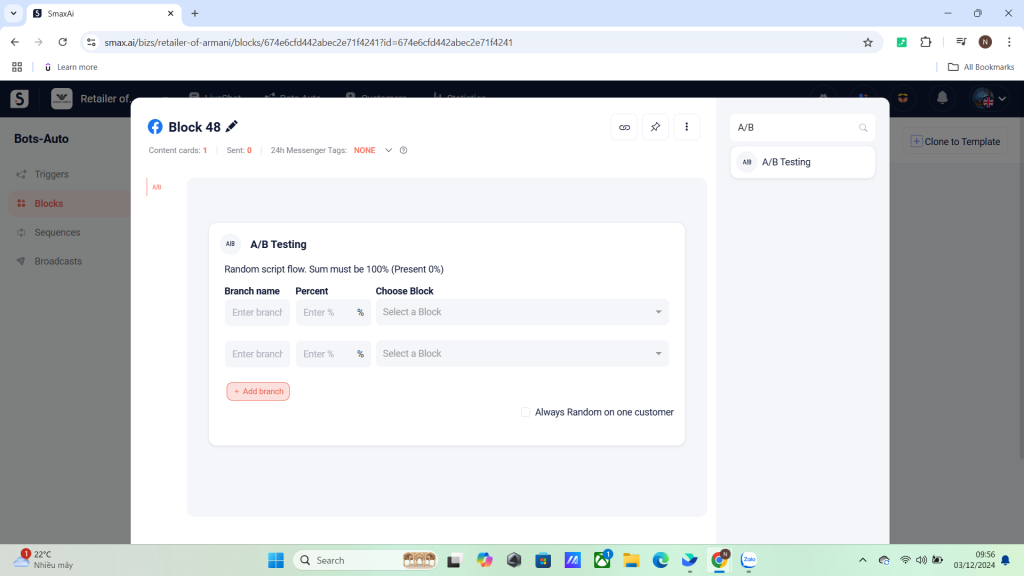
The A/B Testing card directs customers to one of the pre-configured scenarios randomly based on specified ratios.
How to Use the A/B Testing Card: #
- Add at least two branches and set the ratio for each branch.
- You can click Add Branch to include more random scenarios.
Additional Option: #
Enable the Always Random setting for a customer so that the chatbot always runs a random scenario for them.