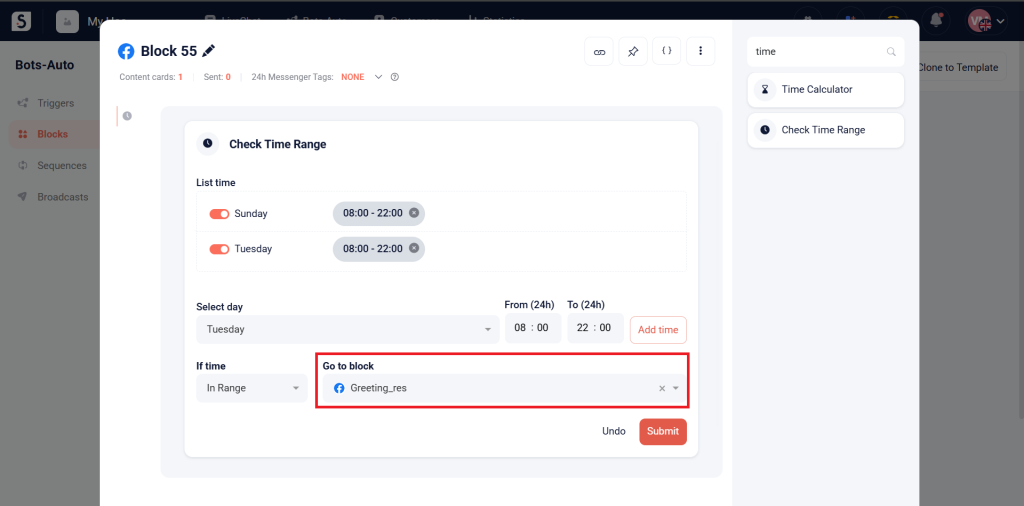
The Check Time Range card sends a response block to the customer if the current time is within or outside the specified time range.
How to Use the Check Time Range Card: #
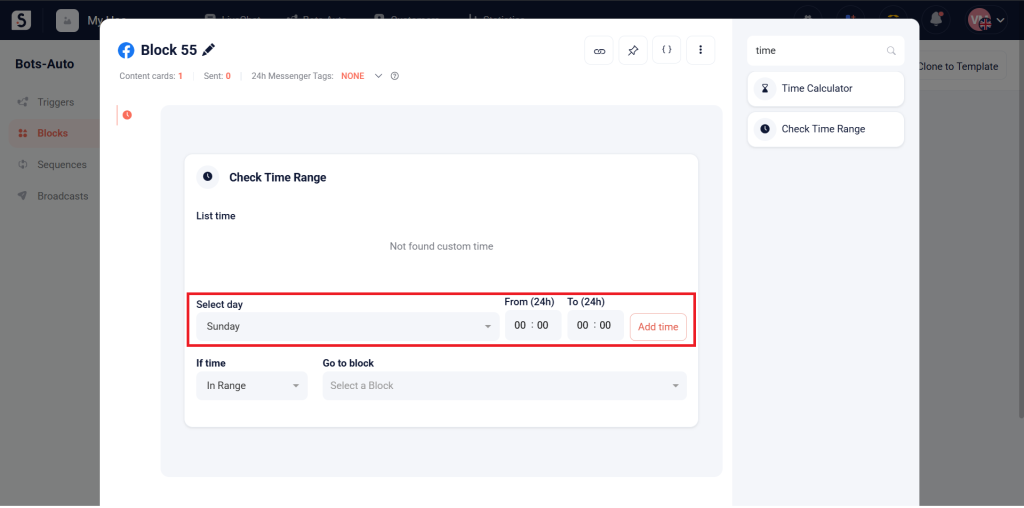
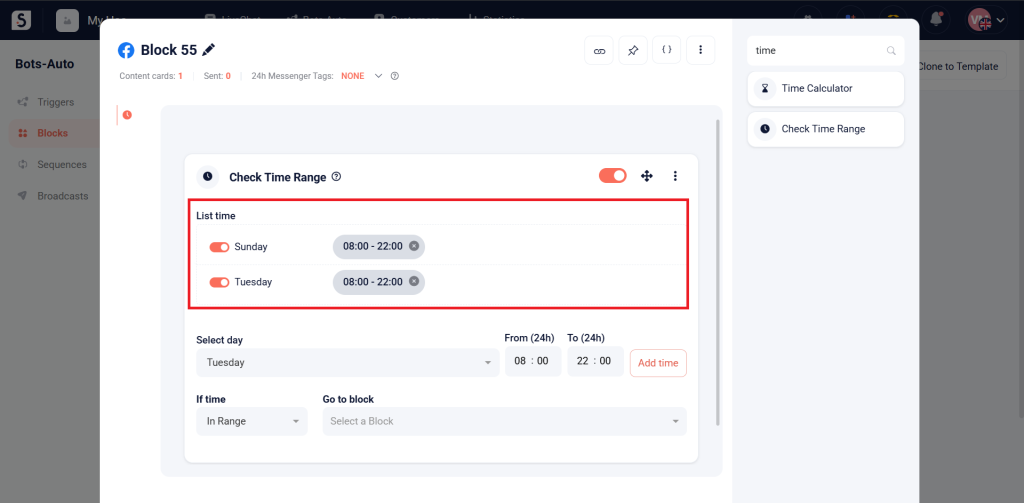
Add Time Ranges: First, add the time ranges you want to check.
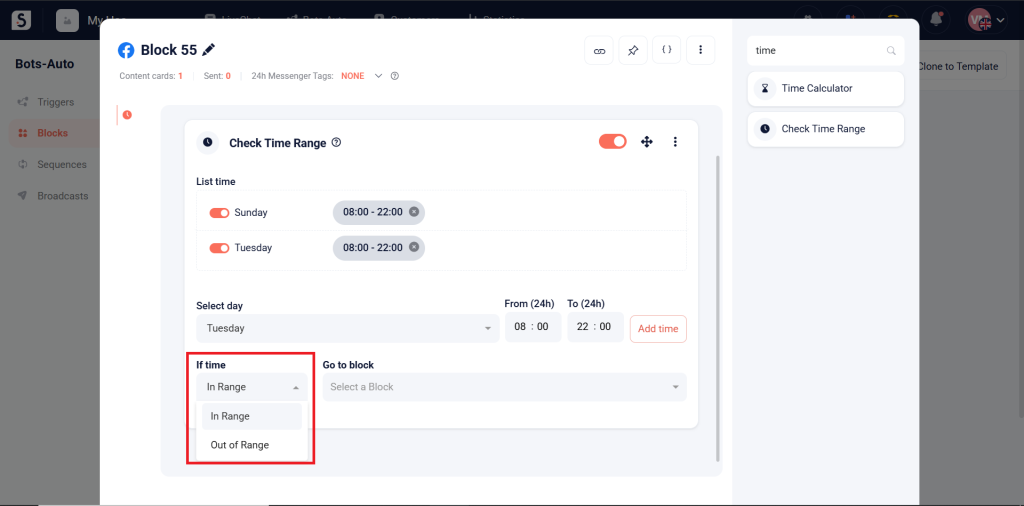
Select the condition:
- In Range: The block will be sent if the current time is in the specified range.
- Out of Range: The block will be sent if the current time is out of the specified range.
Select the Block to send during the specified time condition.