
The Messenger Persistent Menu trigger is used to create a menu that replaces the “Like” button on Messenger or to disable the customer’s ability to send messages.
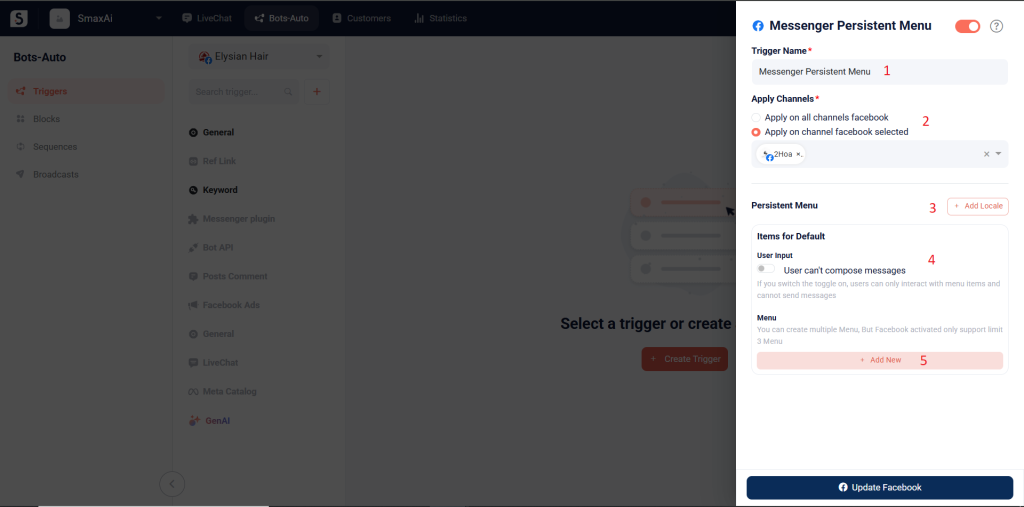
(1) Trigger Name: Enter the trigger name
(2) Apply Channels: Select the channel you want to apply
(3) Add Locale: Select the language you want to use
(4) User input: If you don’t want customers to enter other content, turn on the toggle to restrict them to selecting options from the menu only.
(5) Menu: click Add New to add options
Note: You must create a menu if you enable the disable messaging feature.
When adding an option, you need to enter the option name (6), then either select a block or enter a URL (7) to direct customers when they choose that option.
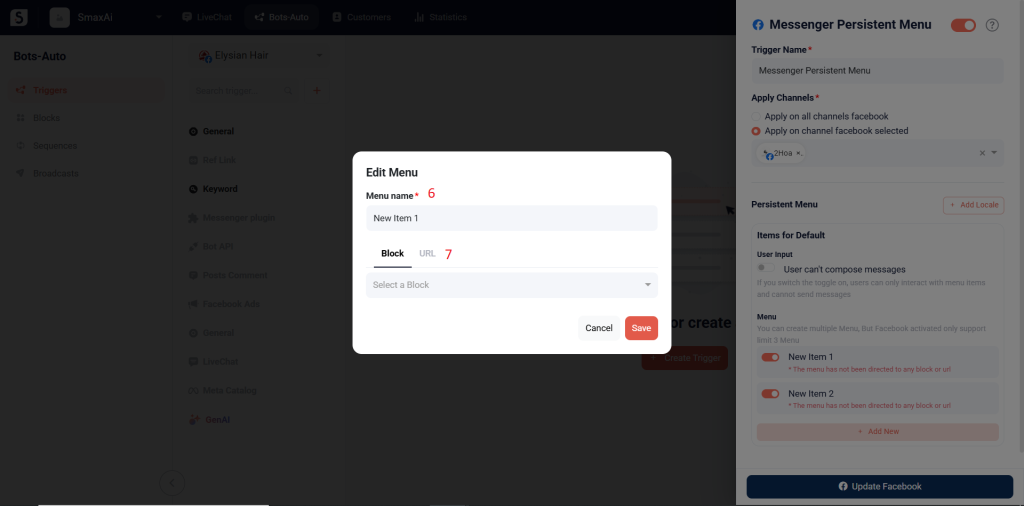
Finally, click Update Facebook to add the trigger.


