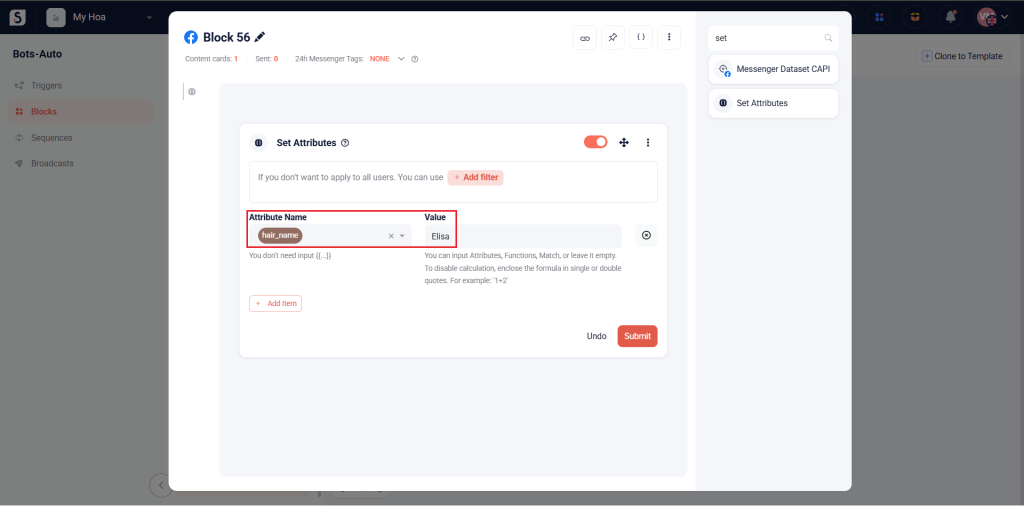
The Set Attributes card is used to create a new attribute or set a value for an existing attribute.
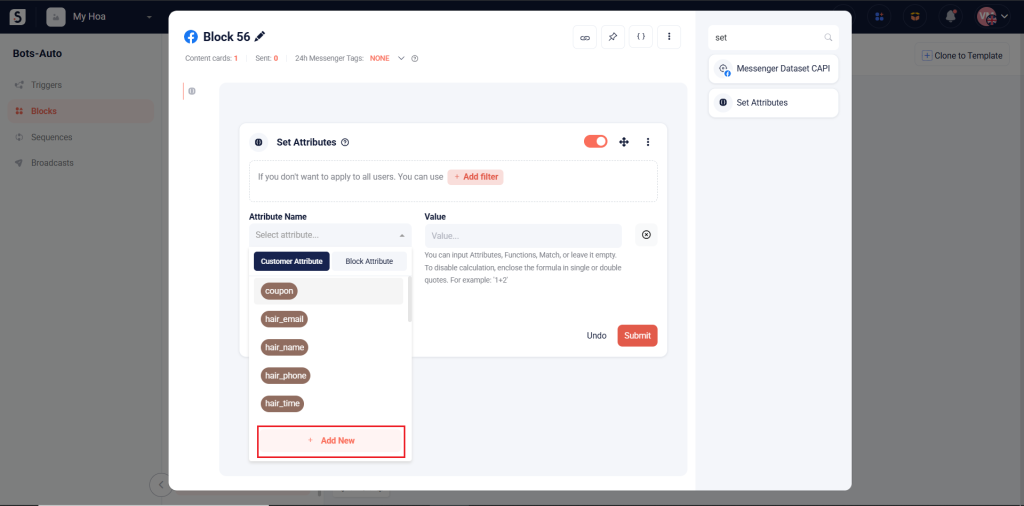
To create a new attribute, click Add New.
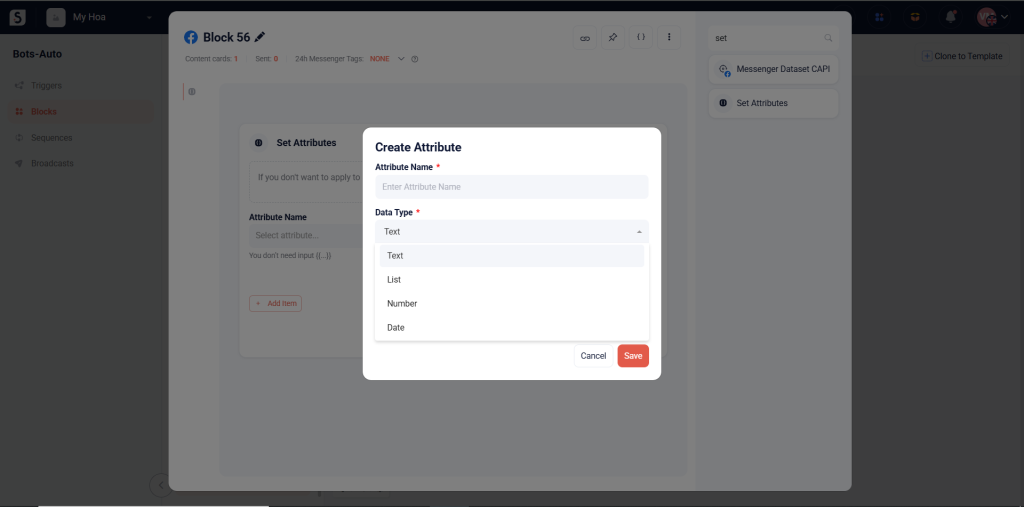
Set the Attribute Name and its Data Type. For more information on data types, refer to the guide here.
Click Save to create the new attribute.
To set a value for an existing attribute, simply select the attribute and enter the value you want to set.