The Order Management Module helps you manage orders on SmaxAI.
To activate the Order Management module, go to Extend Modules and select Activate Order Management Module.

To create a new order, access Order Management from the list of modules on the left, then select Add New.

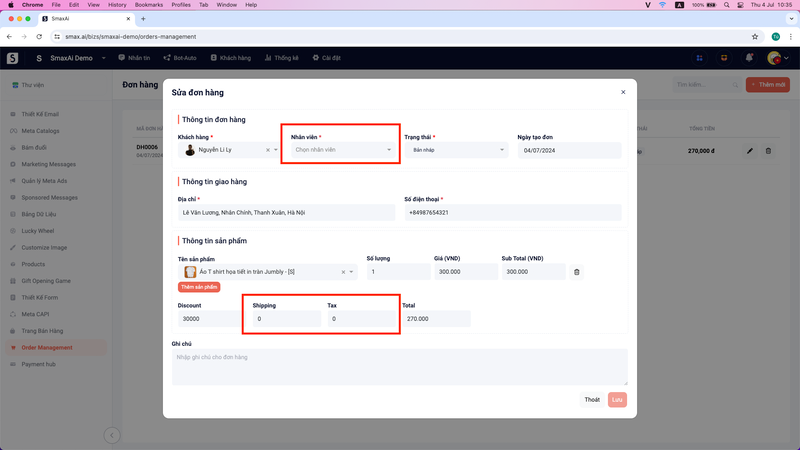
Next, enter the order details and click Save to create a new order.
The basic order information includes:
- Customer Name
- Staff Member
- Status
- Order Creation Date
- Customer Address
- Customer Phone Number
- Product Information
- Discounts, Shipping Fees, Taxes
- Order Notes
You need to create products in the Products module to select them in the Product Information section. Refer to the product creation guide.

In addition to manually creating new orders, the Order Management module will also automatically update orders placed by customers through Meta Catalogs into the system.

By default, orders created from Meta Catalogs will have the status Draft and no assigned staff. You can update additional information such as Staff, Shipping, and Tax in the order.