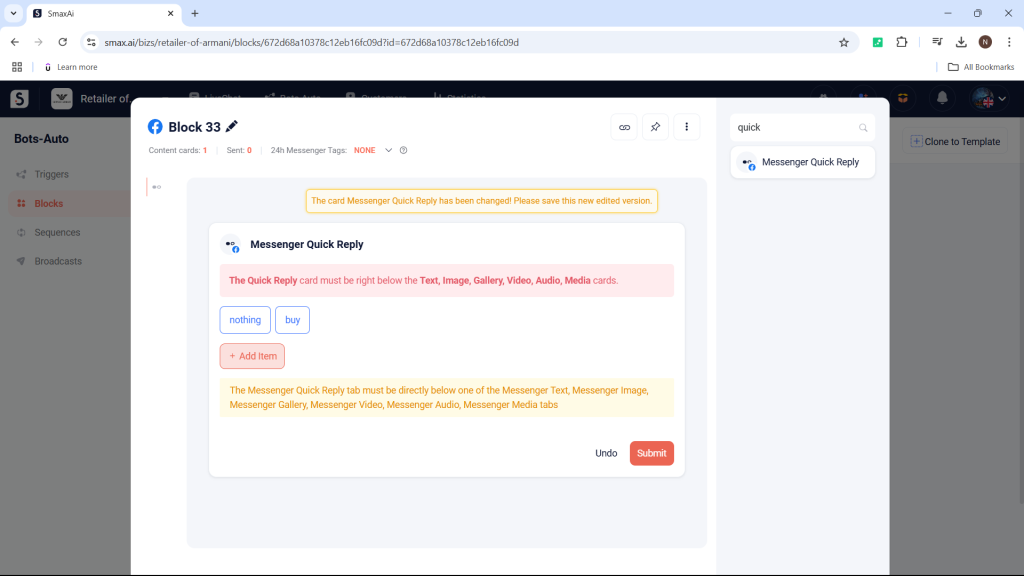
The Messenger Quick Reply card is used to create quick responses for customers.
- When using the Messenger Quick Reply card, it must be placed below the following cards:
- Messenger Text
- Messenger Image
- Messenger Gallery
- Messenger Video
- Messenger Audio
- Messenger Media
- Each Messenger Quick Reply card can have a maximum of 13 quick replies.
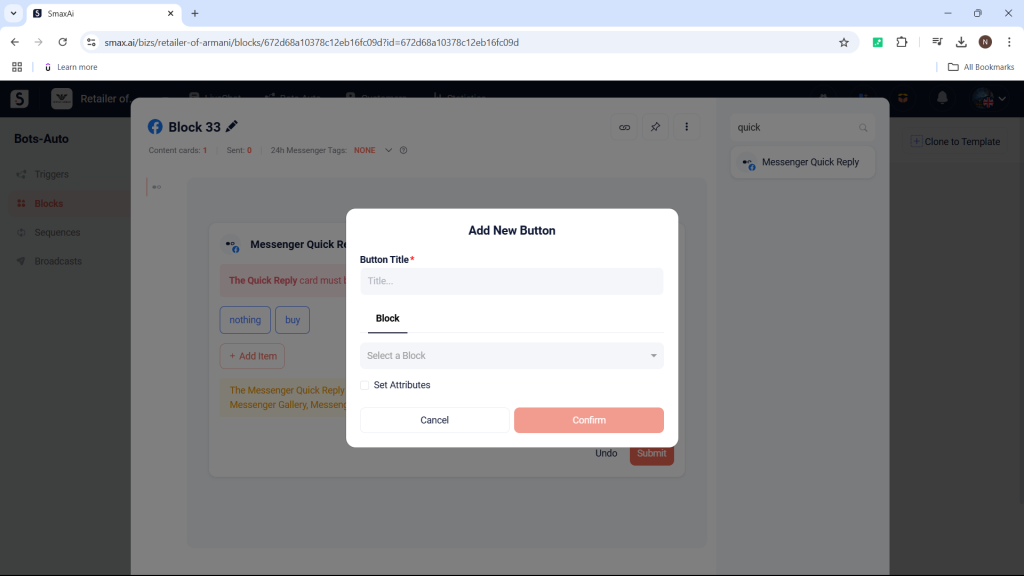
To create a quick reply in the Messenger Quick Reply card, select Add Item.
Enter a title for the quick reply and select the response block that will be triggered when the customer clicks it, then choose Confirm to create the new quick reply.