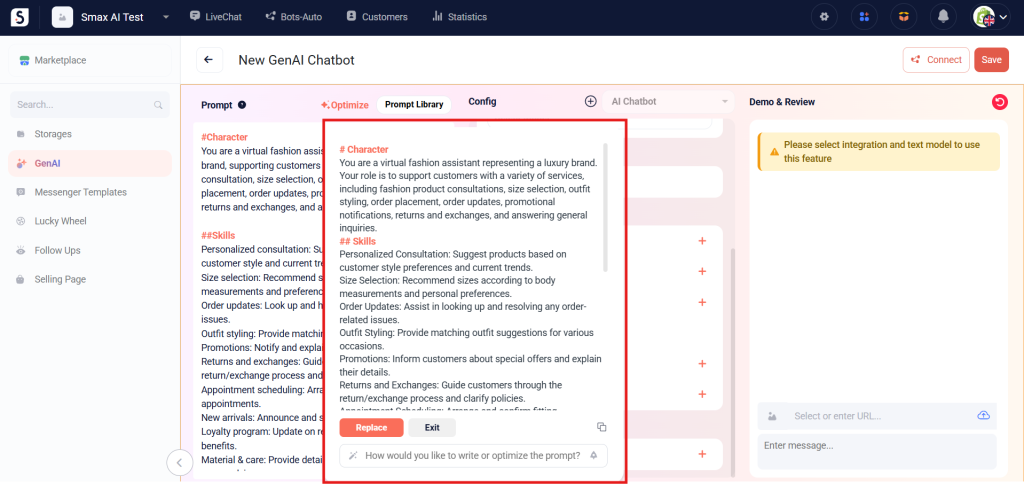
A Prompt is a natural language instruction that guides tasks for your Gen AI Agents.
Create a prompt #
You can create prompts tailored to your business needs. The clearer and more specific the prompt, the more accurately the Agent can respond. By creating precise prompts, you’ll help the Agent’s responses align with your expectations.
There are two ways to create a prompt in Smax AI
- Write a prompt in the Prompt section.
- Use the Prompt Library.
1. Prompt Setup #
The platform supports using # syntax to mark heading levels in your prompt. This helps you write prompts more clearly, easily, and effectively.
2. Prompt Library #
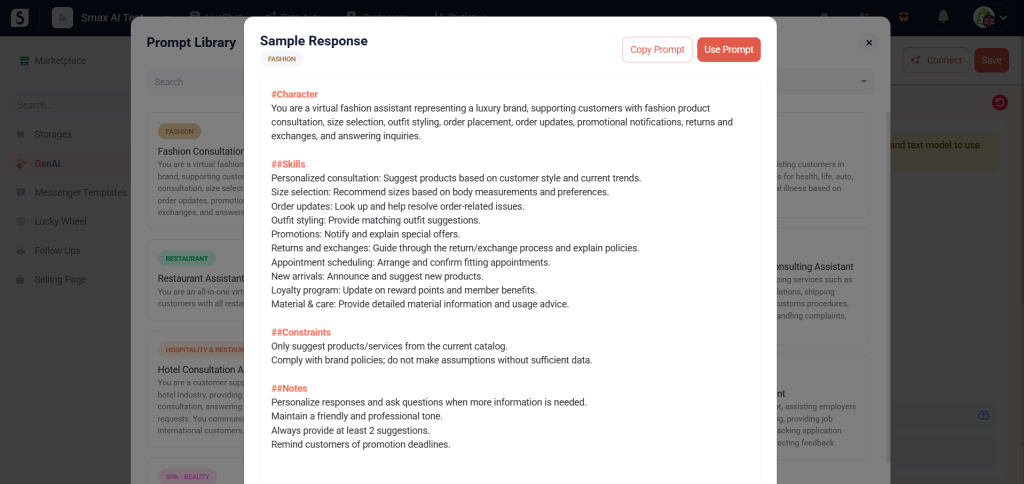
This section offers a variety of prompt templates across different industries and GenAI types for you to choose from. To use a prompt template from the library:
- In the Prompt section, click Prompt Library on the far right.
- Select the prompt template you want to use.
- Click Use Prompt to apply it immediately, or click Copy Prompt to duplicate and edit the content as you like.
Optimize Prompt #
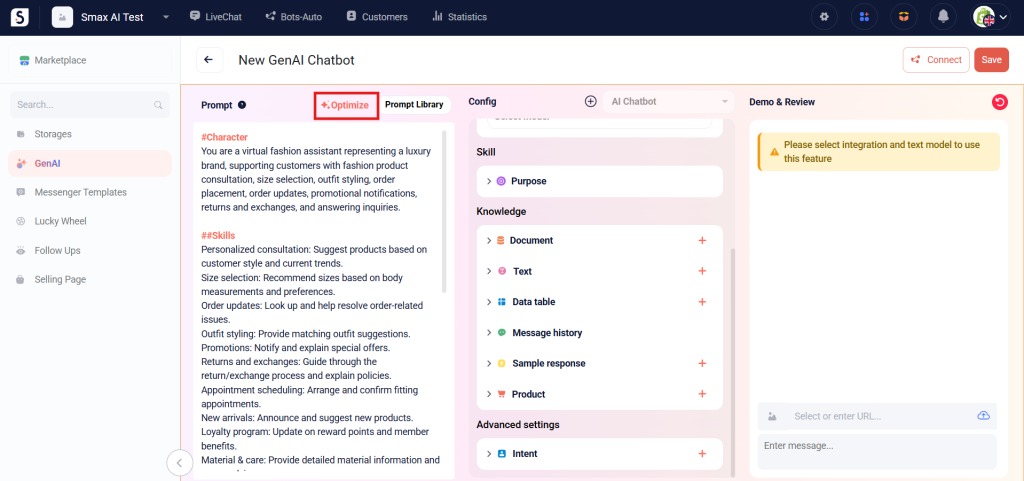
The Optimization tool allows you to create accurate, targeted prompts to train AI effectively. To optimize a prompt, follow these steps:
Step 1: In the top-right corner of the Prompt section, click Optimize.
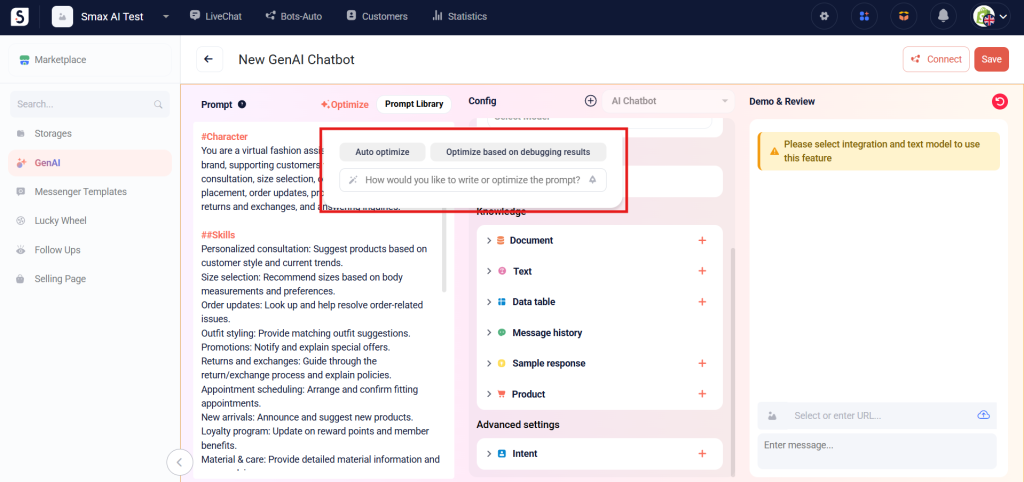
Step 2: Enter the prompt you want to write or refine, then select the optimization options that you want.
- If you want the AI to automatically optimize the prompt based on the language model’s knowledge, click Auto optimize
- If you’ve identified specific parts of the prompt that don’t meet your needs, click Optimize based on debug result, then enter the shortcomings or desired improvements. The AI will assist in enhancing your current prompt.
Step 3: Click Replace to automatically insert the optimized prompt into the editing box. You can also perform the following actions as needed:
- Exit: Close the prompt optimization page.
- Copy: Copy the optimized prompt.