
Content
Content is used to add a description within the form.
- Height of the Element in the Form: All elements in the form will have a height setting, which determines the width of the element. The form is divided into 12 equal parts:
- col-12: The element occupies the full width of 12 parts.
- col-11: The element occupies the width of 11 parts.
- col-10: The element occupies the width of 10 parts.
- Similarly for col-9 to col-1.

Input
Input is used to add a question field for the customer to enter a short answer and store the response in a property on the chatbot.

- Title: The content of the question.

- Attribute: The property on the chatbot that will store the customer’s response.

- Default Value: If the customer does not enter anything in the input field, the system will automatically record this default value as the customer’s response.

- Placeholder: A hint for the customer to answer the input; the placeholder will be hidden when the customer enters data.

Note: You cannot use both placeholder and default value at the same time.
- Data Type: Choose the type of answer that the customer needs to enter; for example, if you want the customer to provide their name, select Text; for a phone number, select Number; for an email, select Email, etc.

- Required: Allow customers to skip the question or make it mandatory for them to answer.

Text Area
Similar to Input, but the Text Area has a wider input field, allowing customers to enter a longer text in the form.
- If you want customers to answer brief questions like name, phone number, or email, use Input.
- If you want customers to provide longer responses such as descriptions of themselves or introductions, use Text Area.

Select
Select is used for customers to choose options from a dropdown menu.
- To add a new option, enter the content in the option field, then press Enter to save.

Checkbox
Checkbox is used for multiple-choice questions.

You can use Content combined with several Checkboxes to create multiple-choice questions.

Slide Show
Slide Show is used to display a list of slides with images that slide horizontally on the form.

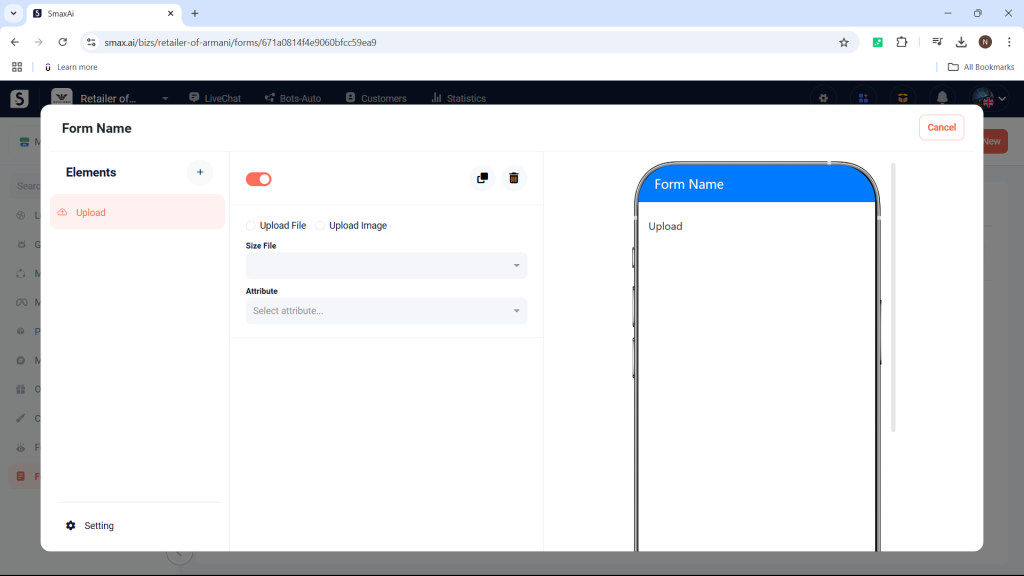
Upload
Upload allows customers to upload a file or an image.
Radio
Radio is used to create questions that only allow customers to choose one answer from a list of options; you can combine it with Content to create questions.

Date
Date is for customers to enter a date, such as their birthdate or reservation date.

Time
Time is for customers to enter a time, such as reservation time or appointment time.

Location
Location is for customers to select an address (only supports locations in Vietnam).

Button Submit
Button Submit is used to create a button for customers to resubmit or confirm when they have finished filling out the form.


