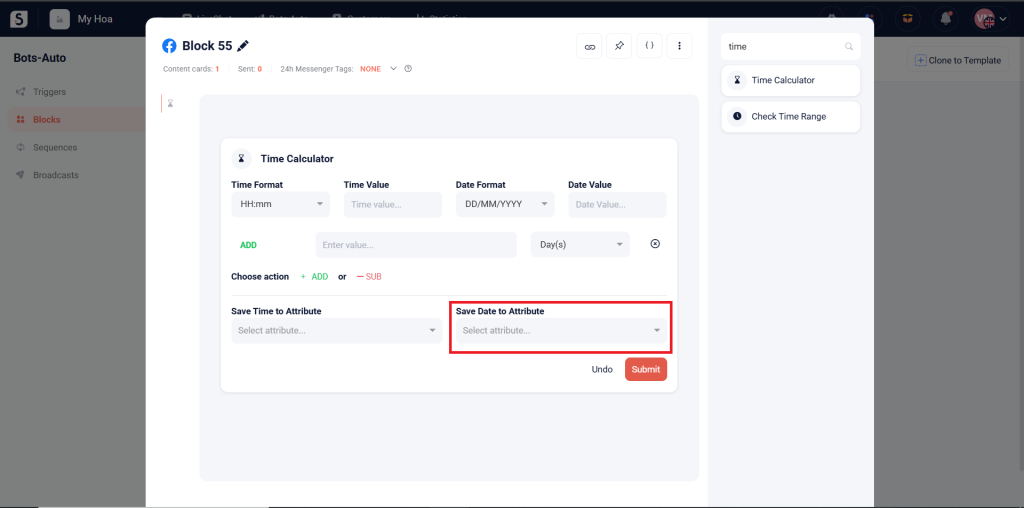
The Time Calculator card is used to add or subtract a time period from an input value and then store the output value in an attribute.
How to Add or Subtract Time: #
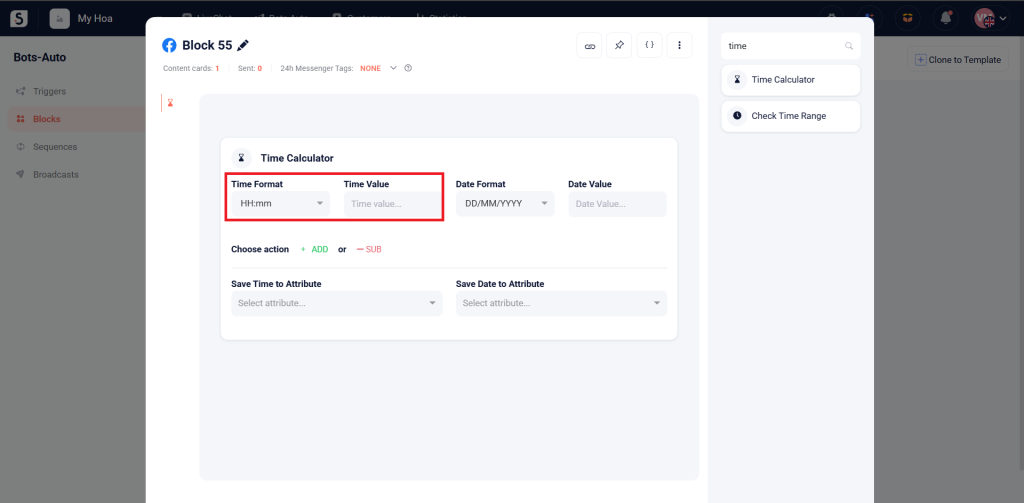
Step 1: Input Time and Format
- HH:mm: Hour:Minute
- mm:HH: Minute:Hour
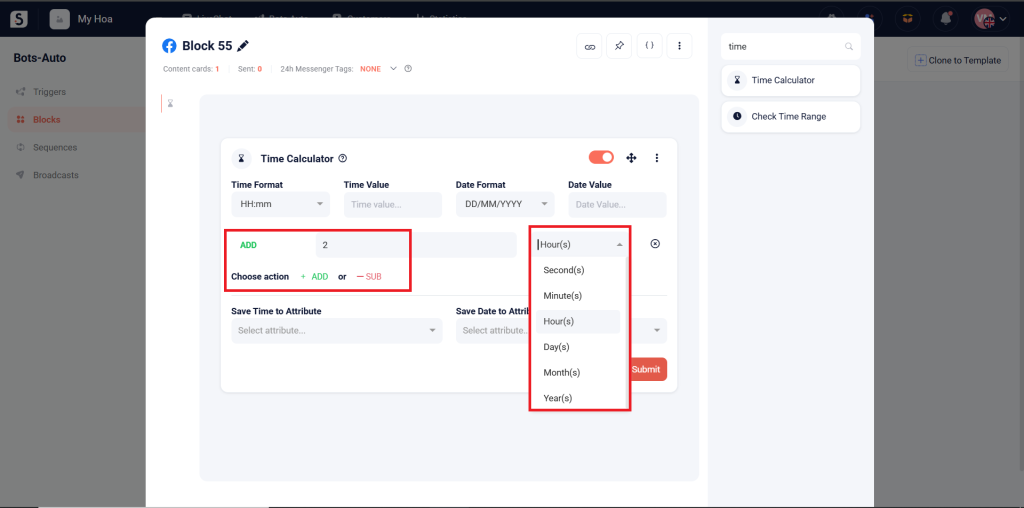
Step 2: Select ADD or SUB:
- Choose ADD to add time or SUB to subtract time.
- Enter the time to add or subtract and select the unit (hour, minute, second).
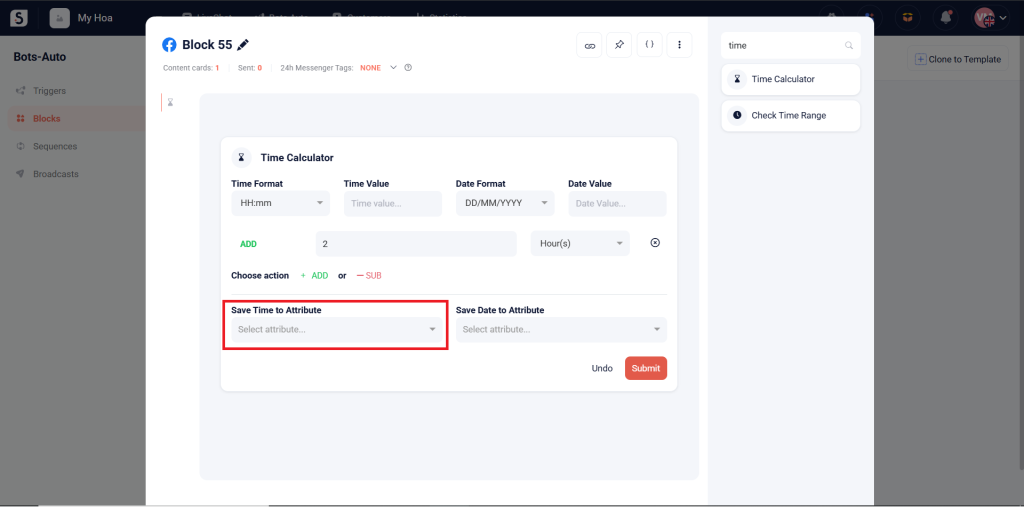
Step 3: Select the Attribute to store the output time.
How to Add or Subtract Date, Month, and Year: #
Step 1: Input Date and Format
- DD/MM/YYYY: Day/Month/Year
- MM/DD/YYYY: Month/Day/Year
- YYYY/MM/DD: Year/Month/Day
- YYYY/DD/MM: Year/Day/Month
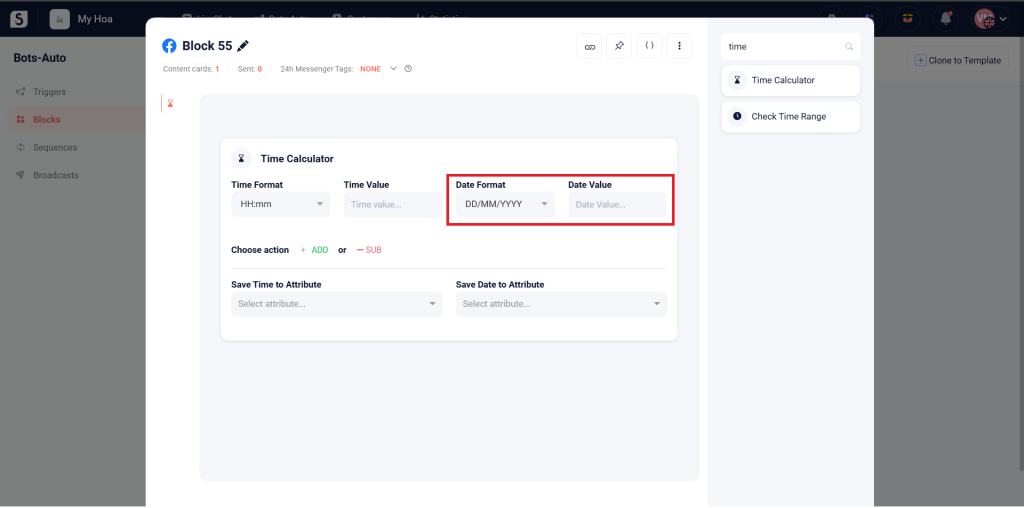
Step 2: Select ADD or SUB:
- Choose ADD to add or SUB to subtract the date, month, or year.
- Enter the time period to add or subtract and select the unit (day, month, year).
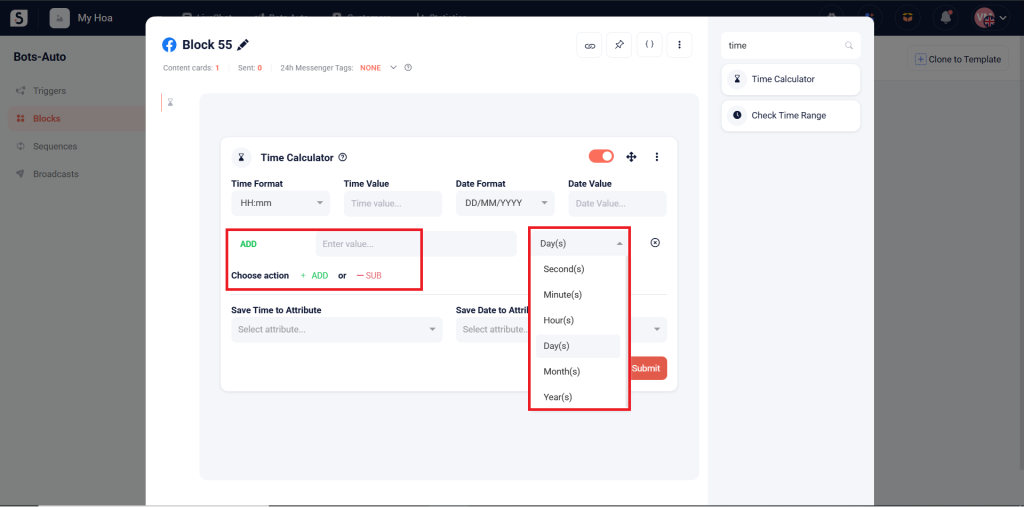
Step 3: Select the Attribute to store the output date.