
The Follow Up Card is used to add a customer to a follow up flow created in the Follow Up Module.
Connect a Follow Up to Chatbot #
Step 1: Create a Block in the Bot-Auto module, then add a Follow Up Card
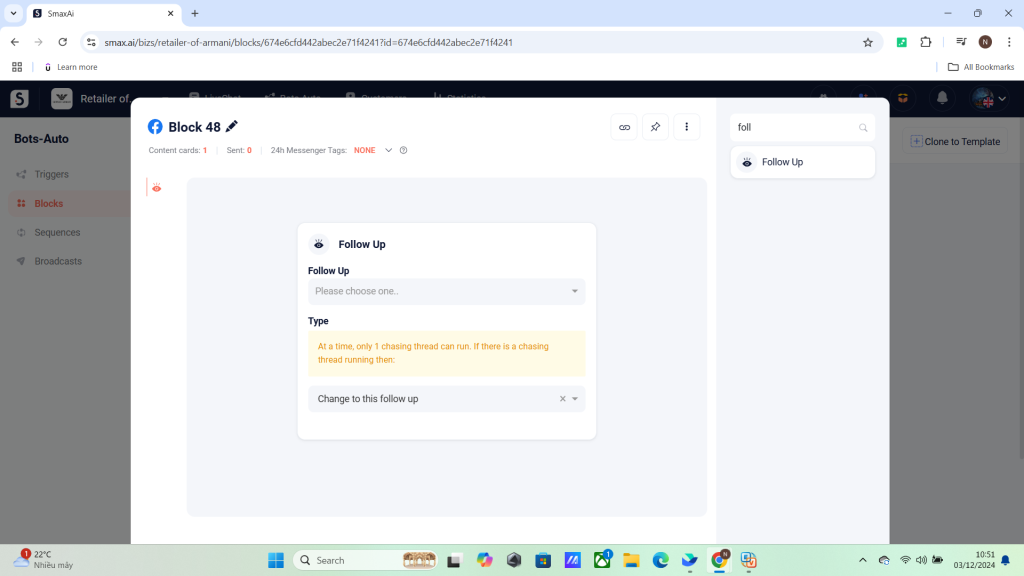
Step 2: Select the follow up you just created in the Follow Up Module.
Refer to this guide on how to create a Follow Up in the Follow Up Module
Step 3: Select the type of follow up.
This means to choose what the action to take when the customer is already in another follow up flow.
- Change to this follow up: Start the follow up flow from the beginning.
- Keep current follow up: If a follow up flow has been added previously, it will not run this flow


