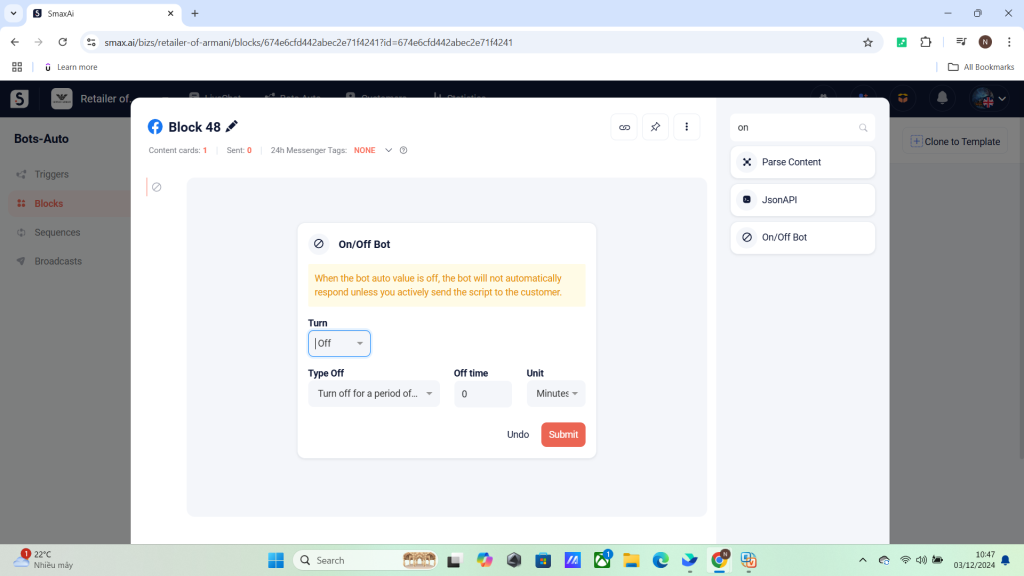
The On/Off Bot card is used to turn the Bot Auto feature on or off for a customer.
Important Notes: #
- If the On/Off Bot card is placed in the middle of the scenario, the scenario will run to completion before turning off the bot.
Turning Off the Bot: #
When turning off Bot Auto, there are 3 options:
- Turn off for a time period: For example, turn off the bot for 2 hours.
- Turn off until a specific time: For example, turn off the bot until June 10, 2024.
- Turn off until reactivated: The bot will stay off until the On/Off Bot – On card is triggered.
To reactivate Bot Auto after turning it off, select On in the On/Off Bot card.