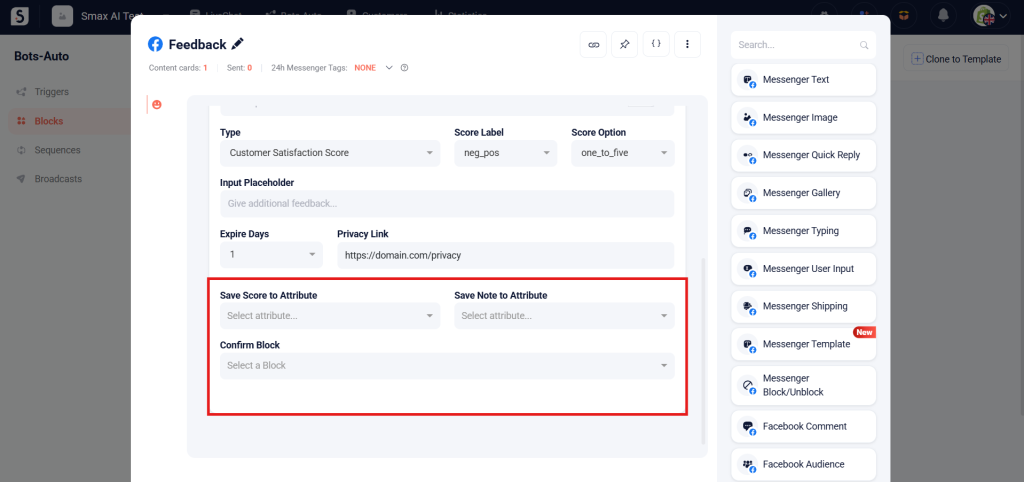
The Messenger Feedback card is used to request customer feedback on products or services using Facebook’s preset template.
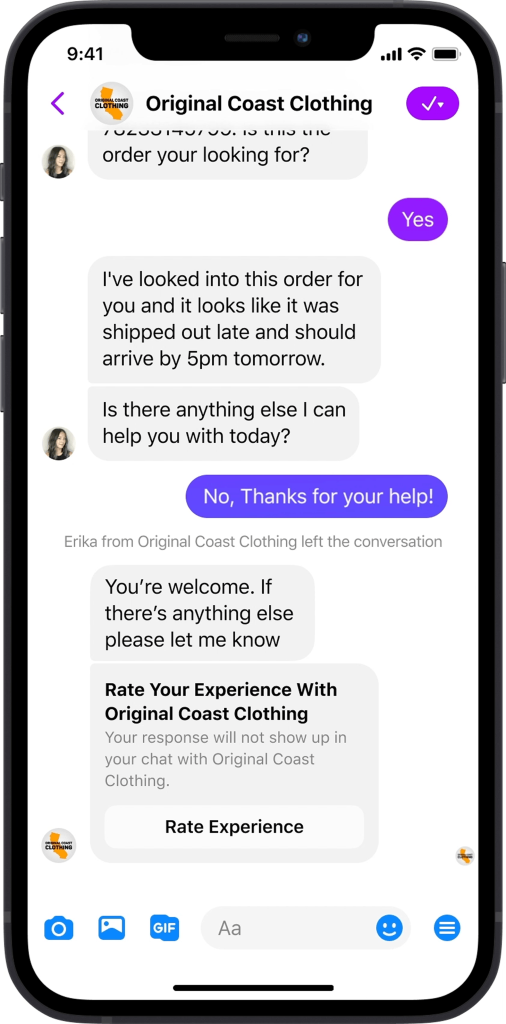
To use the Messenger Feedback card, you need to fill in the following fields:
(1) – Title: Up to 65 characters
(2) – Subtitle: Up to 80 characters
(3) – Button Title: Up to 20 characters
(4) – Question: Up to 85 characters
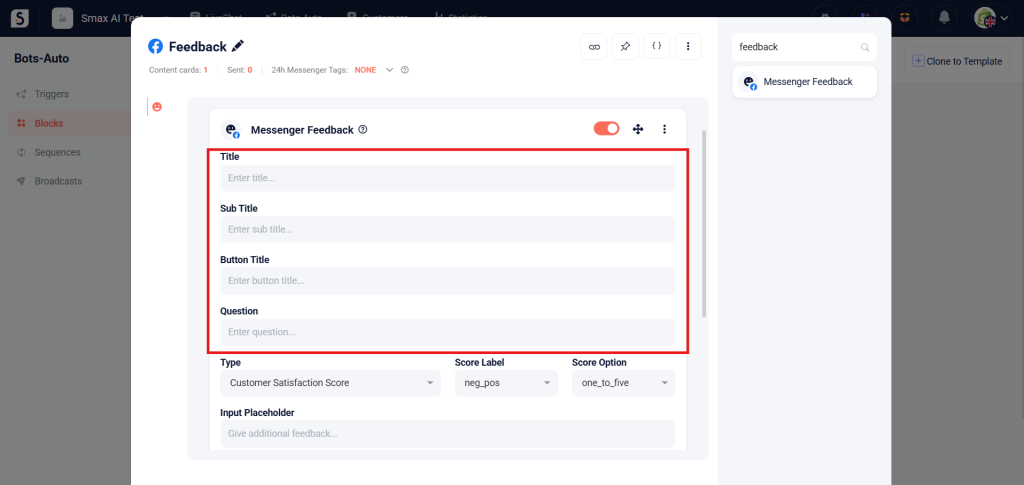
(5) – Type:
- Customer Satisfaction Score: Measures how satisfied the customer is.
- Net Promoter Score: Measures customer loyalty.
- Customer Effort Score: Measures how much effort the customer had to make to complete an action, such as purchasing a product or using a service.
- Free Form: Open-ended feedback format.
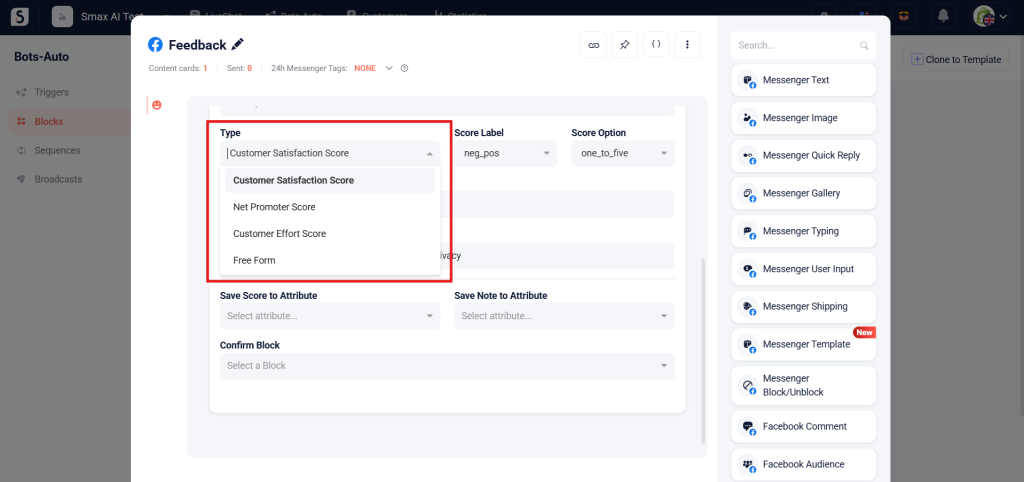
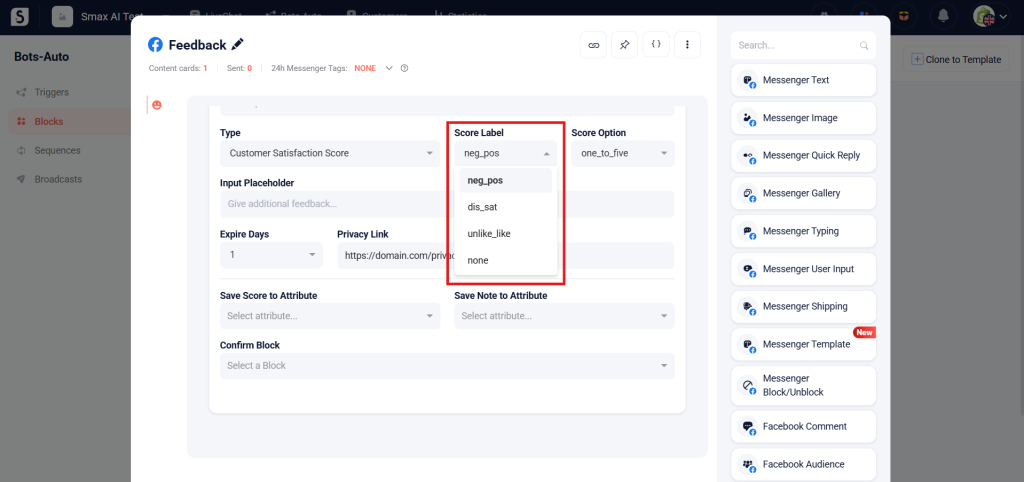
(6) – Score Label:
- neg_pos: Rating from negative to positive
- dis_sat: Rating from dissatisfied to satisfied
- unlike_like: Rating from dislike to like
- none: No scale order
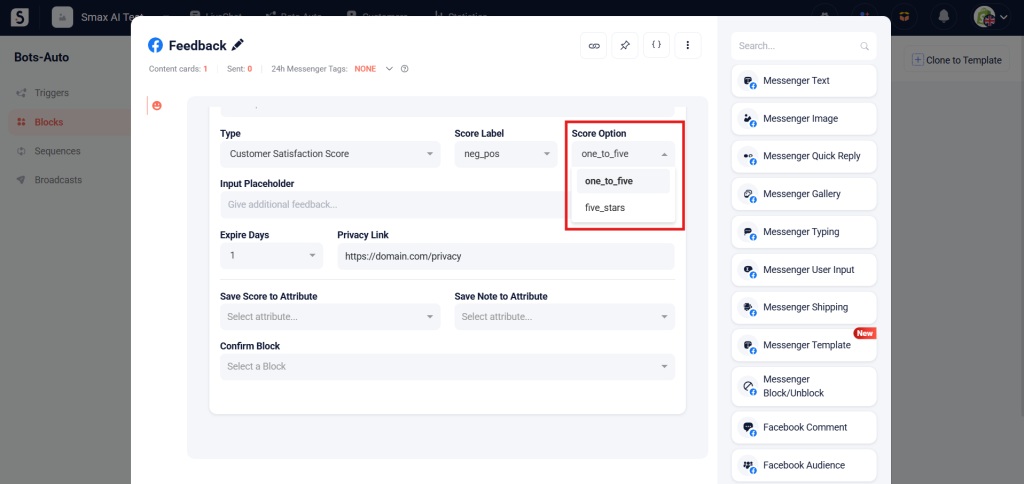
(7) – Score Option:
- one_to_five: 1 to 5 scale
- five_stars: 5-star scale
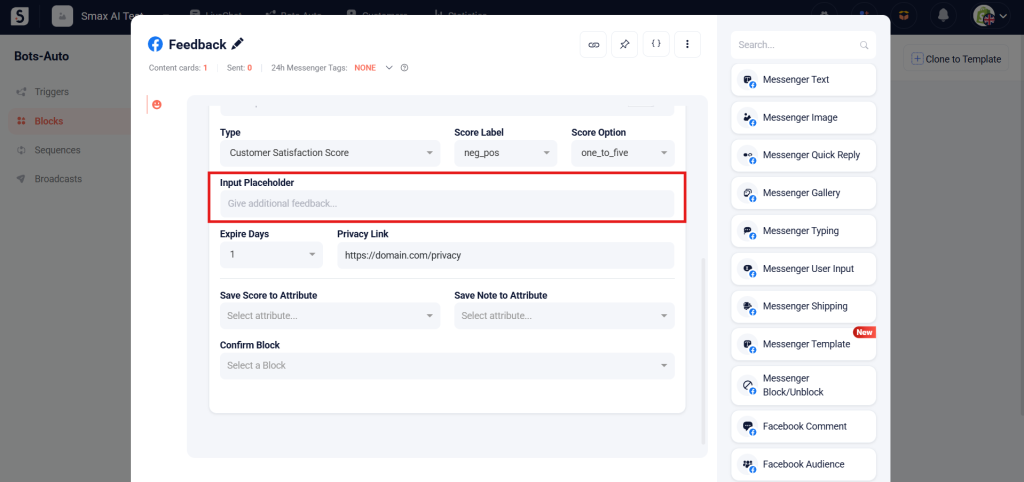
(8) – Input Placeholder: You can enable an optional text response field to let customers leave comments. The title for this field can be up to 65 characters.
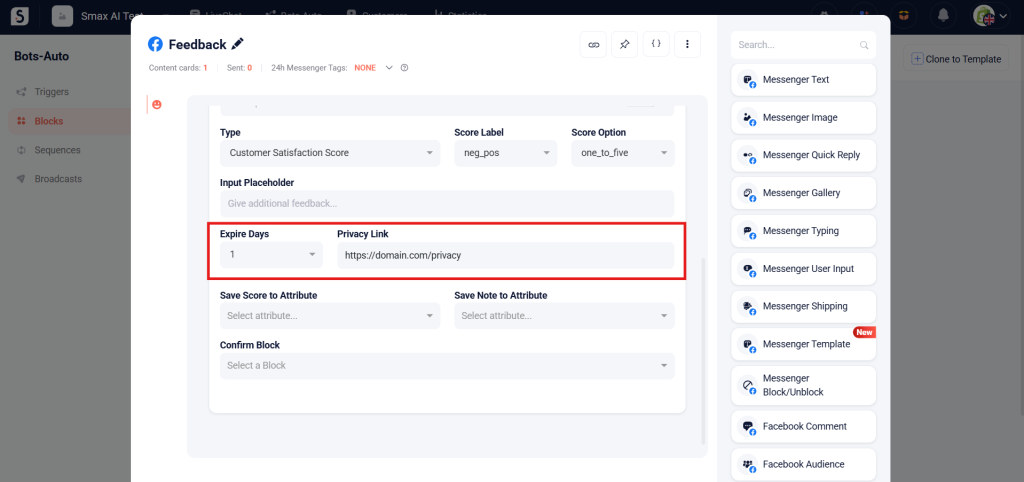
(9) – Expire Days: Number of days the customer has to complete the feedback after you send it. After this period, the Messenger Feedback card will be disabled. Maximum is 7 days.
(10) – Privacy Link: A link to your business’s purchase policy page.
Lastly, select:
- The attributes to store the customer’s score and text feedback
- A confirmation block to redirect the customer after completing the feedback