
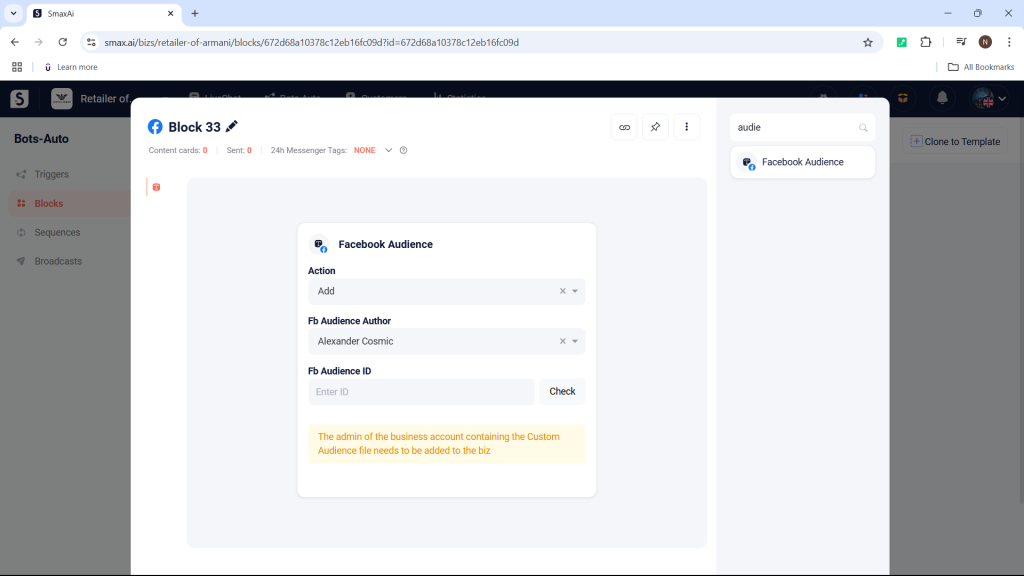
The Facebook Audience card (Ver 1) is used to add or remove customers from a Custom Audience on the Ads Manager.
The admin of the Custom Audience must be added to the business on SmaxAi.
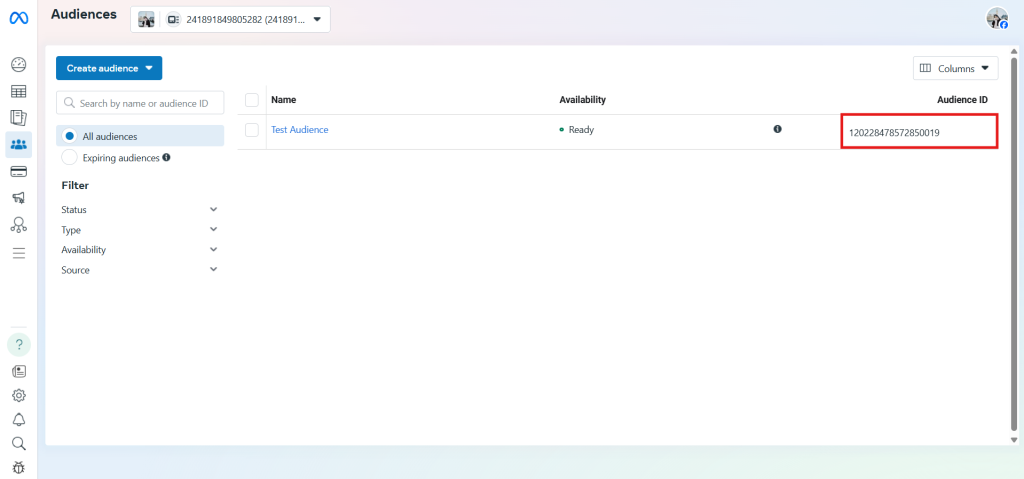
To use the Facebook Audience card, you need to copy the ID of the Audience you want to add or remove in the Ads Manager.
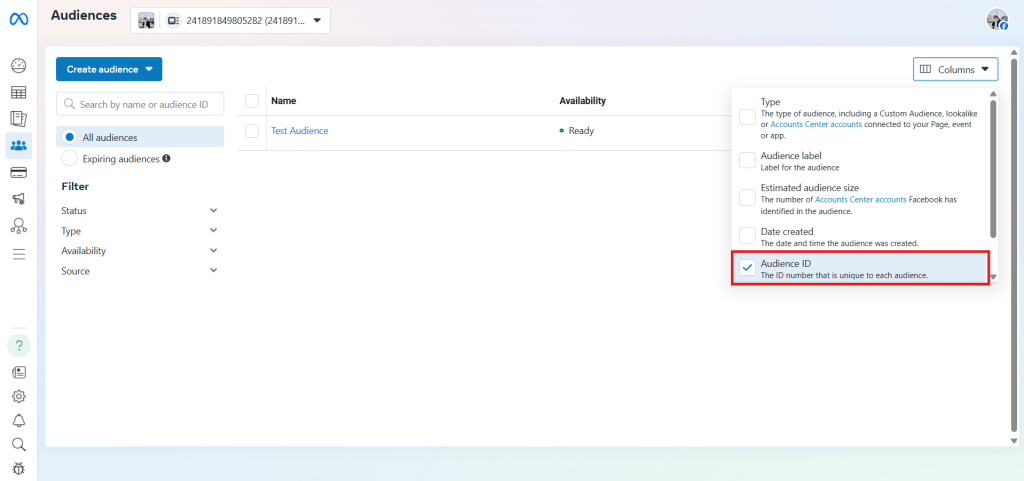
In the Audience management section, select Column and check the Audience ID column.
Then, copy the ID of the Audience you want to add or remove.
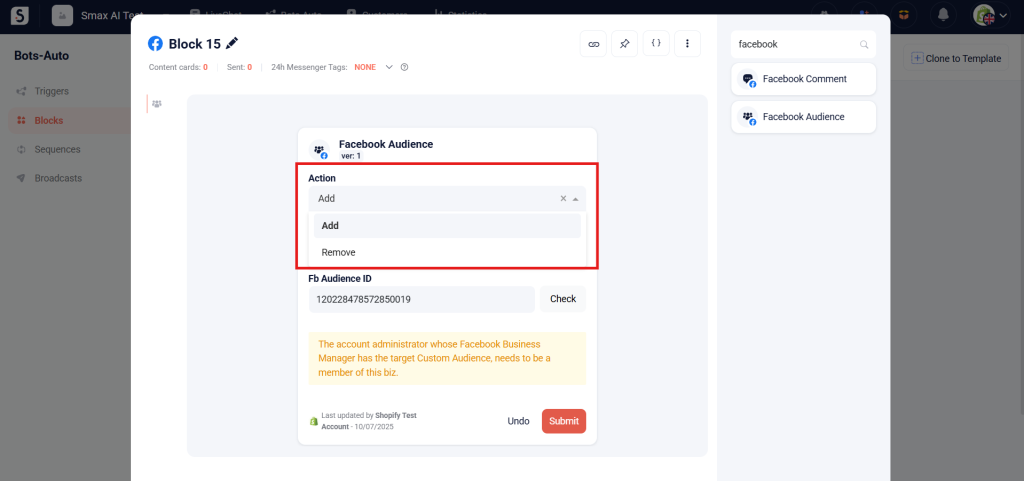
In the Facebook Audience card, select Add to add customers to the Audience or Remove to remove customers from the Audience.
Select the Audience Admin in the Fb Audience Author section; make sure to choose the correct Admin to successfully send customer data.
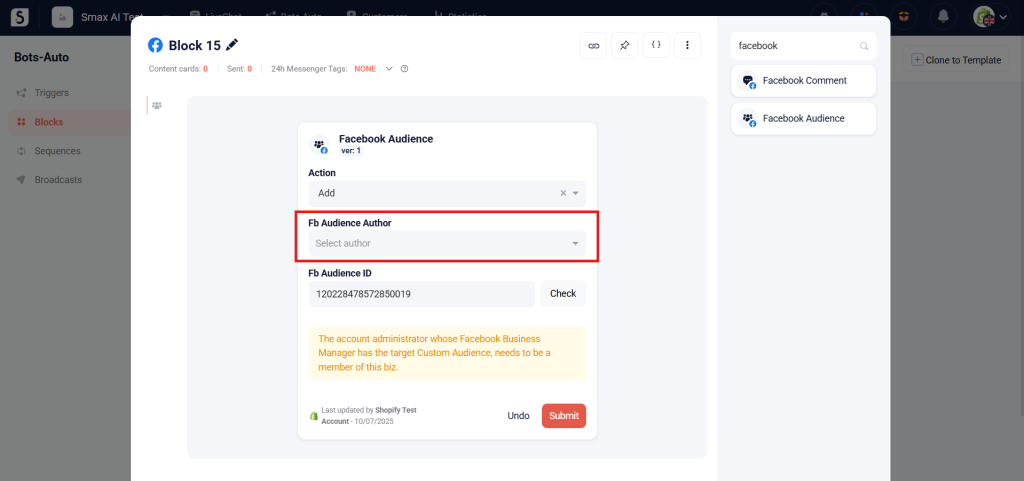
Then, enter the Audience ID in the Fb Audience ID section.
You can track the usage history of the Audience in the History section.


